
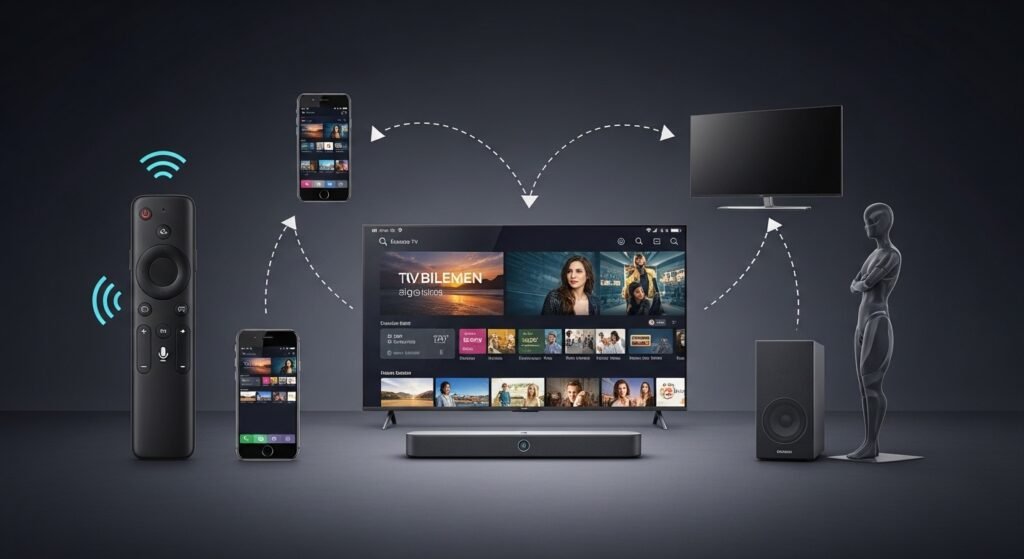

If you’ve ever wondered what is a smart TV, the simplest way to put it is this: it’s a television that connects to the internet and runs apps just like your phone.
The smart TV meaning is basically “TV + Internet + Apps.” Instead of relying only on cable or satellite, you can stream content directly. Think of watching YouTube or Netflix without plugging in any extra device that’s the core idea.
From what I’ve seen, this shift has completely changed how people watch TV. Many homes don’t even bother with cable anymore.
How Does a Smart TV Work?
Internet Connectivity
A smart TV works by connecting to the internet, either through WiFi or an Ethernet cable.
- WiFi connection: Wireless, convenient, and the most common option
- Ethernet (LAN): More stable, especially if your WiFi is weak
For example, if you’re streaming Netflix in HD or 4K, a strong WiFi signal usually does the job but if buffering annoys you, a wired connection is noticeably smoother.
Operating Systems in Smart TVs
Every smart TV runs on an operating system (OS), which controls how it looks and behaves.
Some popular ones include:
- Android TV / Google TV
- Samsung’s Tizen OS
- LG’s webOS
- Roku TV
- Fire TV OS
Honestly, beginners don’t need to overthink this. Most modern systems are easy to use. The main difference is layout and app availability.
Read more: https://garminlive.com/top-5-data-masking-tools-in-2026-that-will-transform-your-data-security/
Apps & Streaming Services
Smart TVs come with built-in app stores where you can install streaming apps.
Common ones include:
- Netflix
- YouTube
- Amazon Prime Video
- Disney+
Installing apps is usually as simple as opening the app store, searching, and clicking “Install.” It feels very similar to using a smartphone.
Key Features of Smart TVs
Built-in Streaming
One of the biggest advantages is built-in streaming.
You don’t need:
- Cable boxes
- DVD players
- External streaming devices
Everything is already inside the TV. You just pick what you want and watch it on demand.
Voice Control & AI
Most smart TVs now support voice assistants.
You can say things like:
- “Play YouTube”
- “Open Netflix”
- “Turn volume up”
In my experience, voice control is hit-or-miss depending on the model, but it’s surprisingly useful once you get used to it.
Screen Mirroring & Casting
This feature lets you share content from your phone to your TV.
For example:
- Show photos from your phone on a big screen
- Cast a video directly from your mobile
It’s especially handy during family gatherings or when you want to avoid passing your phone around.
Smart Home Integration
Some smart TVs can connect with other smart home devices.
You can:
- Control lights
- Check cameras
- Manage smart devices
Not everyone uses this, but if you already have a smart home setup, it adds convenience.
Types of Smart TVs
Based on Display Technology
There are several display types:
- LED: Affordable and widely available
- OLED: Better contrast and deeper blacks
- QLED: Brighter colors, good for well-lit rooms
- Mini-LED: Improved brightness and control
From what I’ve noticed, most people are perfectly happy with LED or QLED unless they’re really into picture quality.
Based on Operating System
Different OS options include:
- Android / Google TV – flexible and app-rich
- Tizen (Samsung) – smooth and fast
- webOS (LG) – clean interface
- Roku / Fire TV – simple and beginner-friendly
Each has its pros and cons, but none are “bad.” It mostly comes down to preference.
Budget vs Premium Smart TVs
- Budget TVs: Basic features, decent performance
- Premium TVs: Better display, faster processors, more features
A lot of people overspend here. Unless you care deeply about picture quality, mid-range TVs usually offer the best value.
Smart TV vs Regular TV
Here’s a quick comparison:
| Feature | Smart TV | Regular TV |
|---|---|---|
| Internet Access | Yes | No |
| Apps | Built-in | Not available |
| Streaming | Direct | Requires external device |
| Price | Slightly higher | Cheaper |
The key difference is simple: smart TVs connect to the internet and run apps.
Advantages of Smart TVs
- No extra devices needed
- Access to streaming platforms instantly
- Easy app installation
- Voice control features
- Can double as a media hub
From a practical standpoint, convenience is the biggest win. Everything is in one place.
Disadvantages of Smart TVs
- Requires internet for full functionality
- Can slow down over time
- Privacy concerns (data tracking)
- Slightly more expensive
Many people overlook performance issues. Cheaper smart TVs can lag after a year or two, especially if updates stop.
How to Choose the Right Smart TV (2026 Guide)
Screen Size Selection
Pick size based on your room:
- Small room: 32–43 inches
- Medium room: 43–55 inches
- Large room: 55+ inches
Sitting too close to a big screen isn’t comfortable, so balance matters.
Resolution & Picture Quality
In 2026, 4K is the minimum you should consider.
- 4K: Best value
- 8K: Not necessary for most people
- HDR / Dolby Vision: Improves colors and contrast
Honestly, 8K still feels unnecessary unless you’re buying a high-end setup.
Connectivity & Ports
Look for:
- HDMI ports (at least 2–3)
- USB ports
- Bluetooth support
- WiFi compatibility
People often regret not checking ports it matters more than you think.
Budget Considerations
Typical ranges:
- Budget: Entry-level features
- Mid-range: Best balance
- Premium: Top performance
My advice? Spend where it counts (display quality), not just brand name.
Popular Smart TV Brands in 2026
Some reliable names include:
- Samsung
- LG
- Sony
- TCL
- Hisense
- Xiaomi
Each has strengths. Samsung and LG dominate premium, while TCL and Hisense are great for budget buyers.
Read more: https://garminlive.com/10-best-free-ai-tools-for-small-businesses-in-2026/
Smart TV Setup Guide (Step-by-Step)
Setting up a smart TV is straightforward:
- Plug in and turn on the TV
- Connect to WiFi
- Sign in (Google/Apple account, if required)
- Open app store
- Install your favorite apps
Takes about 10–15 minutes, even for beginners.
Tips to Use Smart TV Like a Pro
- Keep apps updated
- Clear cache occasionally
- Avoid installing unnecessary apps
- Use Ethernet for better streaming
- Adjust picture settings manually
Many people never tweak settings, but small changes can noticeably improve performance.
FAQs
Do I need internet for a smart TV?
Yes, for apps and streaming. Without internet, it works like a regular TV.
Can I watch normal TV channels?
Yes, via cable, antenna, or set-top box.
Is a smart TV better than Android TV?
Android TV is actually a type of smart TV, not a competitor.
How long do smart TVs last?
Typically 5–8 years, depending on usage and quality.
Can I install apps on all smart TVs?
Most allow apps, but options vary by operating system.
Conclusion
A smart TV is essentially a connected entertainment hub. Once you understand how it works, it’s hard to go back to a regular TV.
If you’re buying one in 2026, focus on what actually matters screen quality, performance, and ease of use. Everything else is just a bonus.
From what I’ve seen, even a mid-range smart TV today can deliver a great experience. You don’t need the most expensive model you just need the right one for your needs.
About The Author




Pingback: 5 Best NLP Testing Tools for Evaluating & Improving AI Language Models (2026) - Garmin Live®
Pingback: MovieBox App 2026 Complete Guide: Features, Download, Safety & Best Alternatives - Garmin Live®
Pingback: What Is Streaming? A Beginner’s Guide (Types + How It Works) - Garmin Live®
Pingback: Spectrum Home Internet Review (2026): Pricing, Speed, Pros & Cons Explained - Garmin Live®