
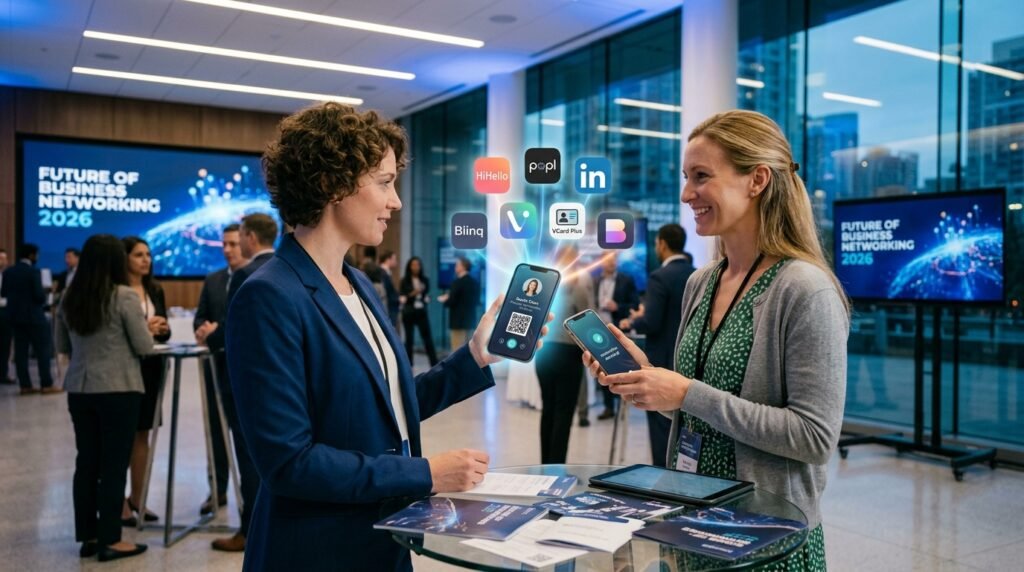

Still carrying paper cards in 2026? That’s starting to feel like using a fax machine. Over the past few years, I’ve watched a clear shift toward digital business cards. Not just because they’re convenient, but because they actually fit how people connect now fast, mobile, and often online-first. Whether you’re at a conference or just chatting on LinkedIn, sharing contact details instantly matters more than ever. There’s also the sustainability angle. Paper cards get printed in bulk and most end up forgotten in drawers. Digital options solve that problem completely. You update once, and your details stay current everywhere.
From what I’ve seen, digital business cards in 2026 aren’t just a trend they’re becoming the default for tech professionals and startups alike.
What Is a Digital Business Card App?
How It Works
A digital business card app lets you create a virtual profile that contains your contact info, social links, website, and sometimes even videos or booking links.
Instead of handing over a paper card, you share your profile using:
- A QR code
- NFC tap (just tap your phone or card)
- A direct link via WhatsApp, email, or SMS
I’ve personally sent my card over WhatsApp mid-conversation it takes seconds and feels way more natural than digging through your wallet.
Key Features Explained
Most apps offer a mix of these:
- Custom digital profile with branding
- QR code and NFC sharing
- Contact saving with one tap
- Analytics (who viewed your card)
- CRM integrations
- Multimedia (videos, links, portfolios)
The better apps feel less like a “card” and more like a mini landing page.
Read Also:https://garminlive.com/top-6-banking-software-companies-for-secure-apps-in-2026/
Benefits of Using Digital Business Card Apps
For Tech Professionals
- Instantly share contact details without friction
- Keep everything updated in one place
- Track who engages with your profile
- Add GitHub, portfolio, or booking links easily
- Works perfectly for remote or hybrid networking
For Businesses & Teams
- Standardized branding across employees
- Easy onboarding for new team members
- Built-in analytics for lead tracking
- CRM integration for sales workflows
- Reduced printing costs (this adds up fast)
Here’s a quick comparison:
| Feature | Paper Cards | Digital Cards |
|---|---|---|
| Update Information | No | Yes |
| Share Instantly | Limited | Yes |
| Track Engagement | No | Yes |
| Eco-Friendly | No | Yes |
| Integration with CRM | No | Yes |
10 Best Digital Business Card Apps in 2026
1. HiHello
HiHello is probably the easiest app to get started with. The interface is clean, and you can create a professional-looking card in minutes.
It’s a solid choice if you don’t want to overthink things.
2. Blinq
Blinq stands out for its sleek design and NFC capabilities. You can tap your phone or card to share details instantly.
From what I’ve noticed, a lot of startup founders prefer this one because it feels polished.
3. Popl
Popl combines physical NFC products with a strong app. You can use their cards, stickers, or even wristbands.
It’s a bit more “gadgety,” but very effective at events.
4. CamCard
CamCard takes a different approach it focuses on scanning physical business cards using OCR.
Honestly, it’s still useful because not everyone has gone digital yet.
5. Haystack
Haystack leans heavily into sustainability. It’s built for companies that want to go fully paperless.
Many people overlook this, but clients do notice eco-friendly choices.
6. Know.ee
Know.ee is all about branding. You can customize your digital identity in a way that feels more like a personal website.
Good fit for consultants and personal brands.
7. Mobilo
Mobilo targets enterprise users. It offers advanced analytics, team management, and integrations.
If you’re running a sales team, this one makes sense.
8. Switchit
Switchit adds a unique twist video introductions.
I’ve seen people use this really well. A short 10-second intro can make you instantly more memorable.
9. KADO
KADO is built with CRM in mind. It’s not just about sharing contacts it helps manage relationships.
It feels more like a networking system than just a card.
10. Wave Connect
Wave Connect is a more affordable option with solid NFC functionality.
If you’re just getting started, it’s a practical entry point.
How to Choose the Right Digital Business Card App
Key Factors to Consider
- Ease of use (you’ll use it often)
- Sharing options (QR, NFC, link)
- Customization and branding
- Integration with tools you already use
- Analytics and tracking features
- Data privacy and security
Many people pick an app just because it looks good, but usability matters more in the long run.
Free vs Paid Apps
Free apps are fine for individuals or freelancers starting out. But once you need analytics, CRM integration, or team features, paid plans are worth it.
Think of it less as a cost and more as a networking tool investment.
Tips to Create a High-Converting Digital Business Card
- Keep the design clean and minimal
- Use a clear profile photo (not a cropped selfie)
- Add a strong call-to-action like “Book a call”
- Include only relevant links (don’t overload)
- Maintain consistent branding across platforms
From experience, fewer elements usually perform better. Too many links just confuse people.
Read Also: https://garminlive.com/the-hidden-infrastructure-behind-scalable-b2b-growth/
Common Mistakes to Avoid
- Adding too much information
- Using outdated contact details
- No clear call-to-action
- Poor visual design
- Ignoring analytics
- Weak or inconsistent branding
I’ve seen profiles with 10+ links and no direction it doesn’t work.
Future Trends in Digital Business Cards
We’re already seeing early signs of what’s coming next.
AI-powered cards could automatically update your profile based on your activity. Imagine your card adjusting itself depending on who you’re sharing it with.
AR features might allow interactive profiles scan a card and see a 3D portfolio or presentation.
There’s also talk of blockchain-based identity verification, especially for freelancers and remote workers.
Not all of this will go mainstream immediately, but the direction is clear: smarter, more dynamic networking tools.
FAQs
Are digital business cards better than paper cards?
In most cases, yes. They’re faster to share, easier to update, and far more flexible.
Are digital business card apps free?
Many offer free versions, but advanced features usually require a subscription.
Can I use digital cards without NFC?
Absolutely. QR codes and links work perfectly fine.
Which app is best for freelancers?
Apps like HiHello or Know.ee work well because of their simplicity and branding options.
Are digital business cards secure?
Most reputable apps include privacy controls, but it’s still important to review what data you’re sharing.
Final Thoughts
Digital business card apps aren’t just a replacement they’re an upgrade.
If you’re serious about networking in 2026, it’s worth trying at least one or two of these apps and seeing what fits your workflow. The right tool can save time, improve connections, and even generate leads without extra effort.
Start simple, experiment a bit, and adjust as you go. That’s usually what works best.
About The Author