
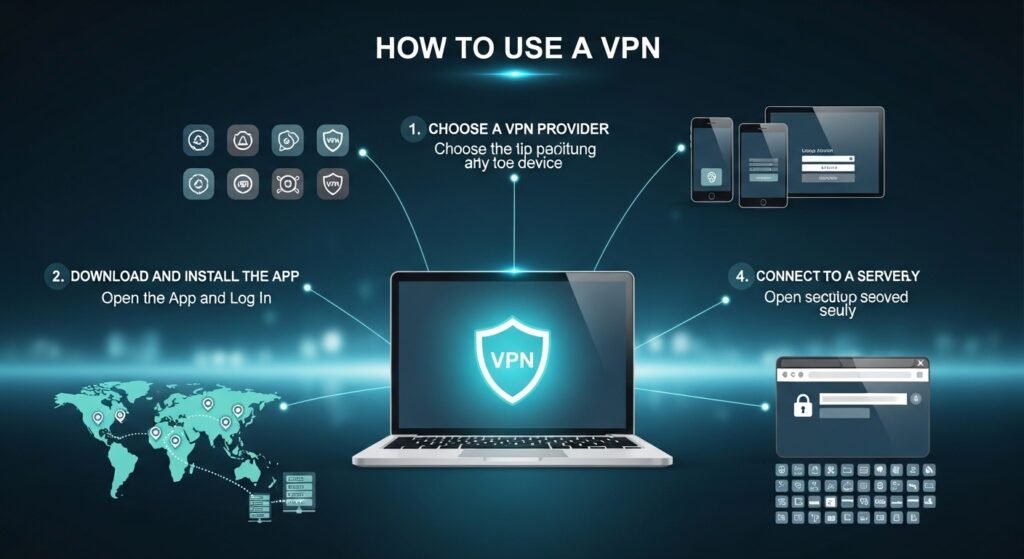

If you’ve ever wondered what is a VPN, the simplest way to think about it is this: it’s like a private tunnel between your device and the internet. A VPN (virtual private network) hides your real IP address and encrypts your data so no one not your internet provider, hackers, or random networks can easily see what you’re doing. That’s basically the core of vpn meaning and vpn basics.
Here’s how VPN works in plain terms:
- Your data is encrypted before it leaves your device
- It travels through a secure VPN tunnel
- It exits through a remote server (which changes your visible location)
So instead of your real IP, websites see the VPN server’s IP. That’s what people mean when they talk about ip masking or secure browsing. From what I’ve seen, most beginners overcomplicate VPN technology. You don’t need to understand encryption algorithms just know it protects your data and gives you more privacy online.
Why You Should Use a VPN
A lot of people ask why use VPN if they’re just browsing normally. The answer is simple: your data is more exposed than you think.
Here are the main VPN benefits explained clearly:
- Privacy – Keeps your browsing activity hidden
- Security – Protects you on public WiFi (cafes, airports)
- Access – Lets you bypass geo restrictions and unblock websites
- Anonymity – Helps with anonymous browsing
- Streaming & gaming – Access content from other regions
One real example: I once connected to public WiFi at a café without a VPN. Within minutes, I started getting suspicious login alerts. Since then, I never use public networks without one.
For students, remote workers, or even casual users, a VPN has quietly become one of the most practical internet privacy tools in 2026.
Types of VPNs You Should Know
Not all VPNs are the same, but you don’t need to go too deep into technical comparisons.
Here’s a simple breakdown of the main types of VPN:
| VPN Type | Best For | Notes |
|---|---|---|
| Personal VPN | Everyday users | Most common |
| Remote Access VPN | Work from home setups | Used by companies |
| Site-to-Site VPN | Businesses | Connects networks |
| Mobile VPN | Smartphones/tablets | Stable on mobile data |
| Cloud VPN | Scalable business use | Hosted in cloud |
You’ll also hear about protocols like OpenVPN or WireGuard VPN, but honestly, most apps handle that automatically.
The bigger decision is free vs paid VPN. Free ones can work, but many have limits or worse, questionable privacy practices. Paid VPNs are generally more reliable.
How to Choose the Right VPN
Choosing the best VPN 2026 doesn’t have to be complicated. You just need to look at a few key things.
Here’s a quick checklist I personally use:
- No-log policy (this is non-negotiable)
- Fast speeds (especially for streaming or gaming)
- Server locations (more countries = more flexibility)
- Ease of use (simple apps matter)
- Device compatibility (phone, PC, browser)
- Refund policy (always helpful)
Many people overlook speed until it becomes a problem. A slow VPN is frustrating, especially if you’re trying to stream or download.
Read more: https://garminlive.com/greatfon-vs-insacret-the-ultimate-comparison-features-pricing-verdict/
How to Use a VPN (Step-by-Step Guide)
Step 1 – Choose a VPN Provider
Start by picking a trusted provider. Look for solid reviews, clear privacy policies, and good performance.
This is basically your vpn buying guide step don’t rush it.
Step 2 – Download and Install the VPN
Once you’ve signed up:
- Download the VPN app for your device
- Install it like any normal software
- Open the app
Most VPN apps today are very beginner-friendly. Whether you’re on Android, iOS, Windows, or Mac, the process is almost identical.
Step 3 – Log In and Connect to a Server
After installing:
- Log into your account
- Choose a server location
- Tap “Connect”
If you want to access region-locked content, pick a specific country (like the US for streaming). Otherwise, just use the “fastest server” option.
Step 4 – Verify Your VPN Connection
This step is often skipped, but it’s important.
Search “what is my IP” and check if your location has changed. If it has, your VPN is working.
You can also run a DNS leak test if you want extra assurance.
Step 5 – Start Browsing Securely
That’s it you’re now browsing with VPN protection.
But don’t forget: a VPN improves privacy, it doesn’t replace good habits. Avoid sketchy websites and still use strong passwords.
How to Use a VPN on Different Devices
On Android & iPhone
- Download the VPN app from the app store
- Log in
- Tap connect
That’s all. Mobile VPN usage is incredibly simple now.
On Windows & Mac
- Install desktop software
- Log in
- Choose a server
Some advanced users go for manual setup, but apps are easier and faster.
On Browser Extensions
VPN extensions are lightweight and quick:
- Install on Chrome or Firefox
- Enable it from the toolbar
- Choose a location
They’re useful for quick browsing but don’t protect your entire system like full apps do.
Common VPN Mistakes to Avoid
I’ve seen people misuse VPNs in ways that defeat the purpose entirely.
Here are some common VPN mistakes:
- Using random free VPNs without research
- Forgetting to turn it on (happens more often than you’d think)
- Connecting to very distant servers (causes slow speeds)
- Ignoring VPN leaks or connection drops
Free VPN dangers are real some log your data or inject ads. Always check before installing.
Read more: https://garminlive.com/how-to-create-high-converting-explainer-videos-with-ai-tools/
Tips to Use a VPN Safely and Effectively
To get the most out of your VPN:
- Use the nearest server for better speed
- Turn on auto-connect on public WiFi
- Enable kill switch if available
- Switch servers if speed drops
- Keep the app updated
From experience, just choosing a closer server can double your speed. It’s a small tweak that makes a big difference.
FAQs
Is it legal to use a VPN?
In most countries, yes. VPN legality depends on local laws, but for general use like privacy and security, it’s widely allowed.
Can I use a VPN for free?
Yes, but free VPN vs paid VPN is a big gap. Free versions often have limits on speed, data, or server access.
Does a VPN slow down internet?
Sometimes. Encryption adds a small delay, but good VPNs minimize this. Choosing the right server helps a lot.
Can VPN protect me completely online?
No. VPN security has limits. It protects your connection, but not things like phishing scams or weak passwords.
Which VPN is best for beginners?
Look for simple apps with one-click connect. Many modern VPNs are designed specifically for beginners.
Final Thoughts
Learning how to use a VPN isn’t complicated it just feels that way at first.
Once you install one and connect a few times, it becomes second nature. And honestly, it’s one of the easiest ways to improve your online privacy without changing your habits too much.
If you’ve been putting it off, just start with a basic setup and go from there.
About The Author




Pingback: InShot vs Filmora: Which Video Editing App is Better in 2026?