
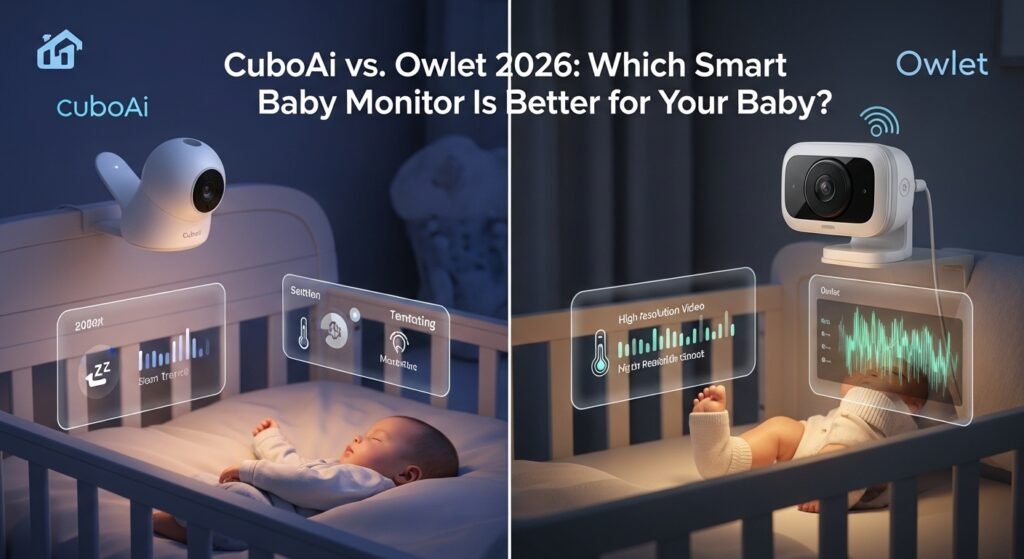

Smart baby monitor 2026 trends are hard to ignore right now, and the CuboAi vs. Owlet 2026 comparison is something almost every new parent ends up researching. Almost everyone I talk to is either already using one or thinking about it. The shift from basic audio monitors to AI baby monitor systems and wearable tracking has been quick and honestly, a bit overwhelming. Most parents aren’t just checking if the baby is crying anymore they’re worried about sleep patterns, breathing, and overall safety. That’s where modern baby monitoring devices step in.
But here’s the catch: choosing between CuboAi and Owlet can be confusing. One relies heavily on AI-powered camera detection, while the other focuses on wearable health tracking. Different approaches, same goal peace of mind.
Overview of CuboAi Baby Monitor
Key Features of CuboAi
CuboAi has carved out a space in infant safety technology with its AI-driven alerts. From what I’ve seen, it leans more toward visual intelligence than physical tracking.
Some standout CuboAi features 2026 include:
- AI detection for face cover alerts and rollover detection
- Sharp camera quality with solid night vision
- Sleep analytics that actually feel useful over time
- A surprisingly intuitive app interface
- Real-time safety alerts that aren’t overly aggressive
And yes, the bird-shaped camera design sounds gimmicky at first, but it blends into a nursery better than most boxy monitors.
Pros and Cons of CuboAi
Pros:
- Easy to set up and use (even for non-tech parents)
- Reliable AI alerts for common risks
- Strong video quality compared to most competitors
Cons:
- Price is on the higher side
- Some features locked behind subscription
- Occasional false alerts (though not excessive)
From my experience and user feedback, CuboAi performs well overall, but you’re definitely paying for the AI layer.
Don’t miss: https://garminlive.com/the-hidden-infrastructure-behind-scalable-b2b-growth/
Overview of Owlet Smart Monitor
Key Features of Owlet
Owlet takes a completely different route. Instead of watching your baby, it monitors what’s happening inside the body.
The Owlet Dream Sock 2026 is the centerpiece here. It tracks:
- Oxygen levels
- Heart rate
- Sleep patterns
- Real-time vitals through the app
This wearable baby monitor approach is appealing, especially for parents who worry about breathing issues during sleep.
Pros and Cons of Owlet
Pros:
- Direct health tracking (which CuboAi doesn’t offer)
- Detailed sleep data and trends
- Peace of mind for health-focused parents
Cons:
- The sock can feel intrusive for some babies
- Occasional false alarms (this comes up a lot)
- Some lingering concerns around accuracy and regulation
I’ve noticed that Owlet’s biggest strength health data is also where most debates happen. It’s useful, but not perfect.
CuboAi vs Owlet: Feature Comparison 2026
Safety & Monitoring Technology
This is really AI vs wearable monitor.
CuboAi uses camera-based detection to identify risks like face covering or unsafe positions. Owlet, on the other hand, tracks vitals directly through sensors.
Neither is “better” universally. If you trust visual monitoring, CuboAi works well. If you prefer data-driven tracking, Owlet has the edge.
Video & Audio Quality
This one is straightforward.
CuboAi wins in visuals. The HD video baby monitor quality is noticeably sharper, and night vision is more reliable. Owlet does offer a camera, but it’s not the main attraction and it shows.
Health Tracking & Alerts
Owlet dominates here.
If you want oxygen monitoring and heart rate tracking, CuboAi simply doesn’t compete. Its alerts are behavioral, not physiological.
That said, some parents find Owlet’s alerts stressful, especially when false alarms happen at night.
App Experience & Connectivity
Both apps are decent, but CuboAi feels smoother.
The CuboAi app is cleaner and easier to navigate. Owlet’s app is more data-heavy, which can feel cluttered if you just want quick updates.
WiFi baby monitor benefits apply to both, but connectivity issues can pop up depending on your home network.
Ease of Use & Setup
CuboAi is more plug-and-play.
Owlet requires fitting the sock correctly, pairing it, and keeping it charged. Not difficult, but definitely more effort especially during those first sleep-deprived weeks.
Price & Value for Money
Here’s a quick comparison:
| Feature | CuboAi | Owlet |
|---|---|---|
| Base Price | Higher | Slightly higher |
| Subscription Needed | Yes (for full features) | Optional tiers |
| Core Strength | AI monitoring | Health tracking |
| Long-term Value | Visual safety | Health insights |
Both sit in the premium baby monitor category. Budget buyers might hesitate.
Which One Is Best for Different Parents?
Best for Tech-Savvy Parents
CuboAi fits better here.
If you like smart home baby monitor integration and AI parenting tools, CuboAi feels more modern and polished.
Best for Health-Focused Parents
Owlet, no question.
Parents who want a baby health tracking device with real-time vitals will find Owlet more reassuring despite its imperfections.
Best for Budget Buyers
Honestly, neither is ideal.
If budget matters, it might be worth exploring cheaper baby monitor alternatives. Both CuboAi vs Owlet 2026 are premium options.
Don’t miss: https://garminlive.com/incogni-vs-kanary-which-actually-protects-your-privacy-in-2026/
Real-Life Use Cases & Examples
One scenario I’ve seen often: nighttime monitoring.
With CuboAi, you might get a face-cover alert at 2 AM, check the app, and adjust a blanket. Simple and quick.
With Owlet, you might wake up to an oxygen alert which could be accurate or a false alarm. That emotional difference matters more than people expect.
Another example is travel.
CuboAi works better for portability. Set it up in a hotel room, connect to WiFi, done. Owlet requires bringing the sock, charger, and base station more pieces to manage.
Tips Before Buying a Smart Baby Monitor
A few practical things many people overlook:
- Check your WiFi reliability first
- Think about your tolerance for alerts (especially false ones)
- Consider your baby’s comfort with wearables
- Don’t overestimate how much data you’ll actually use
Sometimes simpler setups work better in real life.
FAQs:
Is CuboAi safer than Owlet?
Not necessarily. CuboAi focuses on external risks, while Owlet tracks internal health metrics. Safety depends on what you prioritize.
Does Owlet really track oxygen levels accurately?
It does track oxygen levels, but accuracy concerns and occasional false alerts are still discussed among users.
Can I use CuboAi without subscription?
Yes, but some advanced features and sleep analytics require a subscription plan.
Which is better for newborns?
Owlet can feel more reassuring for newborns due to vitals tracking, but CuboAi is simpler and less intrusive.
Do both monitors work without WiFi?
No. Both rely on WiFi baby monitor connectivity for full functionality.
Are there cheaper alternatives?
Yes, several budget baby monitors exist, though they usually lack AI or health tracking features.
Final Verdict:
It really depends on your priority.
If you want a smart, AI-powered camera with strong visuals and simple usability, CuboAi is the better pick.
If your focus is on health tracking heart rate, oxygen levels, sleep metrics Owlet makes more sense.
From what I’ve seen, most parents are happiest when they choose based on their anxiety triggers. Visual reassurance vs health data it’s a personal call.
About The Author




Pingback: Cloud vs Local Storage: Which One Is Better for You in 2026? - Garmin Live®