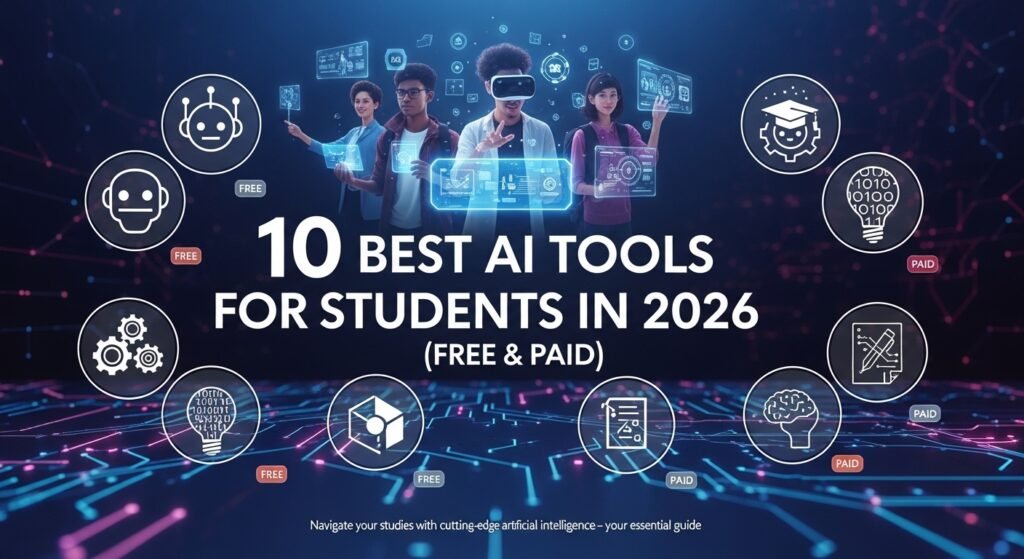

Students in 2026 are studying smarter, not harder. That’s not just a catchy line it’s something I’ve genuinely seen in how students manage their workload today. Between tight deadlines, multiple subjects, and constant distractions, these tools have quietly become essential. In fact, many now rely on AI tools for students 2026 to stay organized and keep up with academic pressure.
The benefits of AI in education go beyond just saving time. These tools help break down complex topics, improve writing quality, and even organize chaotic study routines. Whether it’s AI for homework, assignments, or research, there’s now a tool for almost everything.
What’s interesting is the mix of free and paid AI learning apps available. You don’t need a big budget to get started, but if you want advanced features, some paid tools are worth considering. Either way, the focus is clear: better productivity, less stress, and often, better grades.
How to Choose the Right AI Tool for Your Needs
Factors to Consider
Choosing from the best AI tools in 2026 isn’t about picking the most popular one it’s about what actually fits your workflow.
Here’s what I usually tell students:
- Ease of use matters more than features – If it feels confusing, you won’t stick with it.
- Accuracy is everything – Especially for research or assignments.
- Pricing vs value – Free tools are great, but sometimes paid ones save more time.
- Use-case fit – Writing, coding, research, or planning each tool has its strength.
Many people overlook this, but trying 2–3 tools before settling on one makes a huge difference. Not every AI study tool works the same way for everyone.
Read more: https://garminlive.com/top-online-mapping-software-for-businesses-in-2026/
10 Best AI Tools for Students in 2026 (Free & Paid)
1. ChatGPT: Best All-in-One AI Assistant
If I had to recommend just one tool, it would be ChatGPT for students. It’s incredibly versatile.
You can use it for:
- Essay ideas
- Summaries
- Explaining tough concepts
For example, asking “Explain photosynthesis in simple words” gives a clean, understandable answer. It’s like having a 24/7 tutor, but faster.
2. Grammarly: Best for Writing & Grammar
Grammarly has become almost non-negotiable for assignments.
It doesn’t just fix grammar it improves tone and clarity. I’ve noticed students often underestimate how much small writing mistakes affect grades. Grammarly catches those instantly and even flags awkward phrasing.
3. Notion AI: Best for Note-Taking & Organization
Notion AI is a lifesaver for disorganized students.
It combines notes, tasks, and planning in one place. One feature I personally like is auto-summarizing lecture notes it turns messy content into something readable within seconds.
4. QuillBot: Best for Paraphrasing
QuillBot is perfect when you need to rewrite content without changing meaning.
It offers multiple writing modes, which is surprisingly useful. Instead of copying text (which you shouldn’t), you can rephrase it properly and avoid plagiarism issues.
5. Canva AI: Best for Presentations & Design
Presentations used to take hours. With Canva AI, you can generate slides in minutes.
It’s especially helpful for visual learners. Clean designs, quick infographics, and decent templates make your work stand out without needing design skills.
6. Otter.ai: Best for Lecture Transcription
Otter.ai records lectures and converts them into text automatically.
From what I’ve seen, students who struggle with note-taking benefit the most. You can focus on listening instead of writing everything down.
7. Wolfram Alpha: Best for Math & Science
Wolfram Alpha is like a supercharged calculator.
It solves equations and shows step-by-step solutions, which is key. It’s not just about getting the answer it helps you understand how to get there.
8. Jasper AI: Best for Content Writing
Jasper AI is more of a premium tool, but it’s powerful.
If you’re working on long-form essays or creative writing, it helps generate structured content quickly. It’s not perfect, but it gives a strong starting point.
9. Perplexity AI: Best for Research
Perplexity AI feels like a smarter search engine.
Instead of digging through multiple pages, it gives direct answers with sources. For academic research, this saves a lot of time compared to traditional searching.
10. Duolingo AI: Best for Language Learning
Duolingo AI makes learning languages feel less like studying and more like playing a game.
It’s simple, interactive, and surprisingly effective for beginners. Daily practice becomes easier when it doesn’t feel like a chore.
Free vs Paid AI Tools – Which One Should You Use?
Here’s a quick comparison I usually share:
| Feature | Free AI Tools | Paid AI Tools |
|---|---|---|
| Cost | $0 | Monthly/Yearly subscription |
| Features | Basic to moderate | Advanced & customizable |
| Accuracy | Good | Usually better |
| Best for | Beginners | Serious/advanced users |
Free AI tools are more than enough for most students. But if you’re handling heavy workloads or complex projects, paid tools can save time and effort.
Tips to Use AI Tools Effectively for Studies
Smart Usage Strategies
Using AI the right way is where most students either gain an advantage or fall behind.
A few practical tips:
- Use AI for guidance, not final answers
- Always edit and personalize outputs
- Combine multiple tools instead of relying on one
- Double-check facts for accuracy
From what I’ve seen, students who treat AI as an assistant not a shortcut benefit the most.
Read more: https://garminlive.com/top-5-data-masking-tools-in-2026-that-will-transform-your-data-security/
Common Mistakes Students Should Avoid
A lot of issues come from misuse, not the tools themselves.
Some common mistakes:
- Copy-pasting without understanding
- Overreliance on AI tools
- Ignoring plagiarism risks
- Not reviewing generated content
Many people assume AI outputs are always correct. They’re not. You still need to think critically.
Future of AI in Education (2026 & Beyond)
AI in modern education is only getting more personalized.
We’re already seeing AI academic assistants that adapt to individual learning styles. In the near future, AI tutors might track progress, identify weak areas, and create custom study plans automatically.
It’s not replacing teacher but it’s definitely changing how students learn.
FAQs:
Are AI tools allowed for students?
It depends on the institution. Most allow AI for learning and assistance, but not for submitting untouched AI-generated work.
Which is the best free AI tool for students?
ChatGPT is arguably the best free option due to its versatility.
Can AI help with homework?
Yes, AI for homework can explain concepts, solve problems, and guide you but it shouldn’t do the work entirely for you.
Are AI tools safe to use?
Generally yes, but always check privacy settings and avoid sharing sensitive information.
Do AI tools improve grades?
They can improve performance if used properly. The key is understanding, not just completing tasks.
Conclusion:
AI tools for students in 2026 aren’t just helpful they’re becoming essential.
If you’re new to this, start small. Try 2–3 tools like ChatGPT, Grammarly, or Notion AI and see what fits your workflow. Over time, you’ll figure out what actually boosts your productivity.
At the end of the day, these tools won’t replace effort but they can make that effort far more effective.
About The Author




Pingback: Top 5 Data Visualization Tools in 2026 (Ranked & Compared) - Garmin Live®
Pingback: Hire Freelance AI Engineers: 7 Mistakes That Waste Time & Budget - Garmin Live®